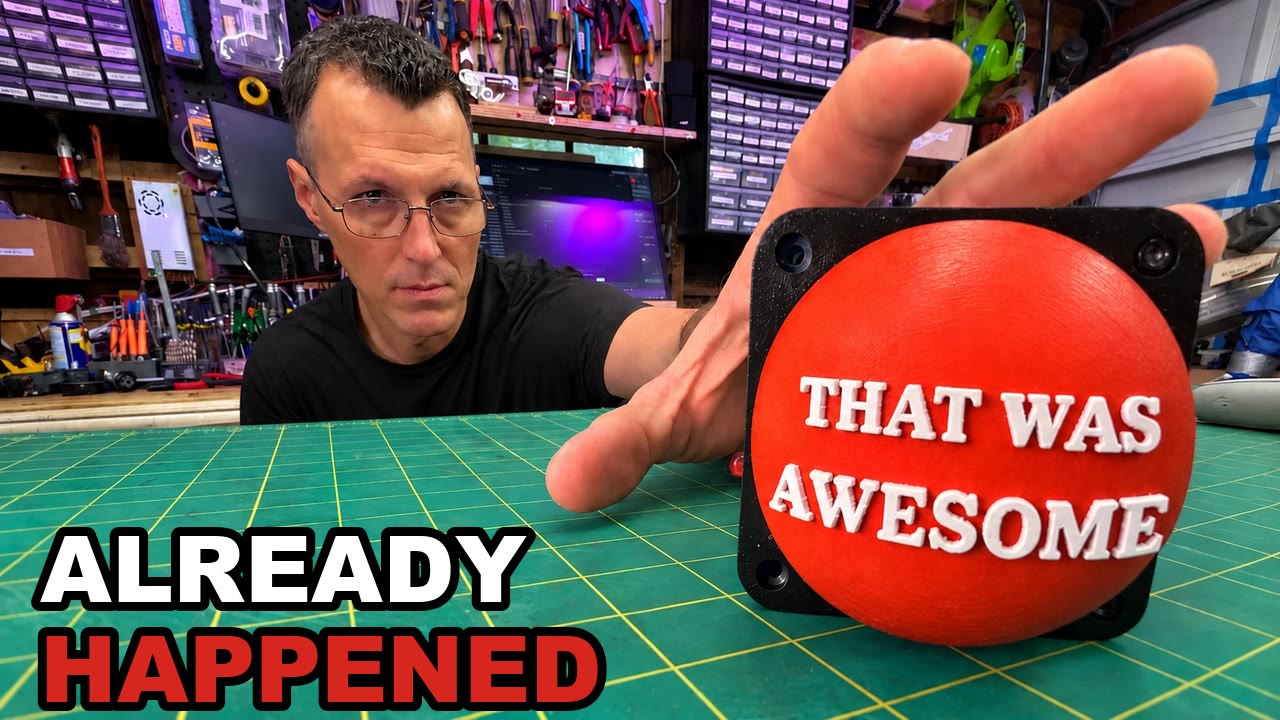
Code, firmware and every camera setting the calibration robot picked: github.com/dan-gearscodeandfire/shopcam2000-public. Video: I Built a Button That Records the Past. Every part, with links: the build page.
Addresses in this document are placeholders (<BI_HOST>, <cam_ip>, 192.0.2.x). Nothing here routes on a real network.
1The whole system on one page
The idea in one sentence: cameras never stop recording into memory, and the button decides after the fact which minute was worth keeping. Everything else is plumbing to make that fast, reliable, and cheap:
- Blue Iris holds a 60-second encoded buffer per camera and writes it to disk on a
trigger. - USB cameras get converted to RTSP by ffmpeg so Blue Iris will buffer them at all (section 3).
- The button is a deep-sleeping ESP32-S3 that shouts one authenticated ESP-NOW frame and goes back to sleep (sections 5–7).
- The bridge is the only board that knows the WiFi password (section 8).
- The Controller (Python, in the repo) turns a press into Blue Iris API calls and then proves the clips exist (section 9).
- The calibration toolkit drove five different camera control APIs to make nine mismatched cameras cut together (section 4).
2Blue Iris: the settings that matter
Blue Iris can do all of this out of the box, but almost none of it is the default. These are the settings the rig is locked on (my ruling, 2026-08-20), and the measurement behind each one.
Two recording modes per camera
| Mode | How it’s set | What it does |
|---|---|---|
| Record (a manual take) | camconfig camera=X manrec=true / false | Records until stopped. Global manrecsec=0 removes Blue Iris’s hidden 30 s cap on manual clips (a 45.2 s hold produced a 45.90 s clip). A manual take also flushes the buffer, so it starts up to ~59 s before the command. |
| Watch (the button) | Camera set to “When triggered”, motion detection off (motion=0) | Nothing is written until a trigger. Then the buffer (60 s) plus a 10 s post-roll become one clip. Motion off means only the button can trigger it. |
The registry knobs (per camera, per profile)
Blue Iris keeps these under HKLM\SOFTWARE\Perspective Software\Blue Iris\Cameras\<cam>\Clips\<profile>\. Every camera has seven profiles, and every value is in deciseconds.
| Key | Value | Why |
|---|---|---|
rectime / playtime | 600 | Pre-trigger record time: 60 s. |
movieroll | 600 | The actual stream buffer. The name suggests file rollover; it isn’t. The default is 50 (5 s), and it silently caps rectime. Measured on one camera: rectime=600 + movieroll=50 saved 4.1 s of lead-in; with movieroll=600, 58.7 s. |
continuous | 0 | Not continuous recording. |
moviegroup | 0 | Don’t combine clips (combining held files open and locked them). |
movieformat | 3 (MP4) | AVI 0, BVR 1, WMV 2, MP4 3. (defformat is not the format key, despite the name.) |
| break time | setmotion.breaktime=100 | 10 s of post-roll after the trigger, fleet-wide. |
// if you remember nothing else: a working button with
movierollat its default saves five seconds of the moment and none of the run-up. It looks like the button works. It does, and the recorder doesn’t.
Everything else that’s locked
- Direct to disk, no re-encode. Blue Iris stream-copies the cameras’ own H.264. With seven cameras: CPU 31–35%, NVDEC 0%.
- Hardware decode:
ip_hwaccel= No (or NVIDIA), never Intel on a box with no active iGPU. Intel “fell back” after a probe timeout, so every stream opened slowly. - Live view at 15 fps (
Options\livefps=15). The recording isn’t affected; the grid just stops eating CPU. - Blue Iris does not resample frame rates. It writes variable-frame-rate MP4 on a 1/90000 timebase with the actual arrival timestamps. Ignore ffprobe’s
r_frame_rate; the number to trust isnb_frames ÷ duration. - One keyframe per second on every source (GOP 30 at 30 fps, GOP 15 on the 15 fps audio camera). It costs +11.4% file size and it’s the single biggest improvement to timeline scrubbing, and it lines keyframes up across cameras.
- MP4, not BVR. I tested BVR because “the timeline needs BVR” is common advice. BVR dropped video at the same rate as MP4 and had the same audio zero-runs (1.18/min in an 11-minute soak). Also, the Blue Iris timeline is one lane for all cameras, not one per camera, and MP4 draws it fine.
- No substreams on the bridged cameras (root cause below).
The root causes behind the lock
- A consumed substream poisons the main recording. With CAM1’s substream in use: 2–10 video gaps per ~114 s take. Not consumed: zero, zero. The network capture was clean in every case, so this is Blue Iris, not the wire. Fix: no substreams on bridges (
ip_subpath=''). Cost: Blue Iris decodes four 1080p30 mains for the live grid (~35% CPU). - Blue Iris trims B-frames from the oldest part of the pre-roll. With NVENC’s automatic B-frames: ~107 ms gaps at 1 Hz in the first ~8 s of every pre-roll. With
-bf 0: none. (The IP cameras emit no B-frames, so only the bridges needed this.) - Blue Iris counts x264 slices as frames.
-tune zerolatencyswitches x264 to sliced threads, 5 slices per frame, so Blue Iris saw the 15 fps audio camera at 75.2 fps. To “fix” A/V sync it then discarded audio: a 265 ms hole every 2.348 s, about 11% of the voice track. Fix:-threads 1 -x264-params sliced-threads=0. - One USB camera’s clock runs fast. It declares 30 fps and delivers 32.318.
-r 30doesn’t fix it;-use_wallclock_as_timestamps 1on the input plus-vf fps=30does (29.97–29.98). - Residual audio dropouts are accepted, not fixed. About one short silence per minute on the bridged cameras’ scratch audio, proportional to bitrate. The silence is written in place, so sync holds within 3 ms over 11 minutes, and the voice comes from its own microphone anyway.
Clip names lie by a minute
Blue Iris names a clip after the trigger instant, in UTC (CAM8.20260730_032815Z.mp4). The footage starts ~60 s earlier. The true span is start = file creation time − pre-roll, end = creation time + 10 s. The Controller copies (never moves, so Blue Iris’s database keeps working) each press into a folder named for the earliest clip start in local time, renames every file to its real local start time, and writes a shopcam.json manifest. Grouping happens in the Controller, not a folder watcher, because a third of presses straddle a second boundary.
Budget: all nine recording is 21.7 GB/hour; one nine-camera press is about 460 MB.
Scripting Blue Iris’s config safely
- Force-kill it first. A clean exit rewrites the registry from memory and undoes your edit (and Blue Iris ignores a polite window close). Sequence: kill →
reg add→ wait ≥5 s → relaunch. - Relaunch with highest privileges (
schtasks /rl HIGHEST), or it comes up with no web server. - The hive is HKLM, not HKCU.
camconfigreturns “success” for parameters it doesn’t support (ptz=,enabled=) and changes nothing. Read it back.
In the repo: docs/blue-iris-settings.md
3The rolling buffer (and why USB cameras need a bridge)
How a press becomes a minute of footage
preroll = clamp(gap − 11 s, 0, 60) drawn to scale; dots are the measured means across nine cameras.Blue Iris keeps an encoded 60-second buffer per camera. trigger flushes that buffer plus the 10 s break time into one clip. Re-triggering while a clip is still being written extends that clip; trigger=0 ends it early.
The buffer is a bucket, not a setting
The buffer refills in real time, and a press empties it. Press twice quickly and the second clip has only the seconds since the first. Measured across 9 cameras × 6 gaps:
preroll = clamp(gap − break_time − 1 s, 0, 60) = clamp(gap − 11 s, 0, 60)| Gap between presses | Second clip’s lead-in |
|---|---|
| 4–5 s | merged into one 75 s clip (still in the post-roll) |
| 12 s | 1.5–2.5 s |
| 25 s | 13.8–15.8 s |
| 45 s | 33.5–35.5 s |
| 70 s | 59.4–60.4 s |
Full recovery takes 71 s. It’s linear and identical on native IP cameras, bridged USB cameras and desktop capture. A bigger buffer doesn’t help: 180 s and 60 s buffers read identically (14.8 s at a 25 s gap), because a trigger drains the whole thing.
Blue Iris exposes no buffer depth, so the Controller predicts the lead-in and reports it on every receipt (prerollSec, fullLead, extended). Checked against measured clips, the prediction ran 0.1–0.8 s low, always conservative. The UI says so plainly: “saved, but with only 1.2 s of lead-in” is the difference between waiting a few seconds before the next press and finding out in the edit.
Cold start: an encoder switched on from off needs ~3 s to come up, ~20 s for Blue Iris to reach full frame rate, and ~80 s before a full 60 s of pre-roll exists. A Blue Iris restart empties every buffer; the Controller caps its prediction at Blue Iris’s own uptime.
USB cameras have no real buffer
Blue Iris only keeps an encoded buffer for a network camera recording direct to disk. A USB camera’s buffer is raw RGB and capped at 1 second. Measured: changing a USB camera’s pre-trigger from 20 s to 5 s moved the clip by 10 ms, and the actual lead-in was about 0.1 s.
So every USB camera goes through a bridge: one ffmpeg process per device encodes it to H.264 and publishes it to a local RTSP server (MediaMTX, rtsp://127.0.0.1:8554/<name>), and Blue Iris adds that as an ordinary network camera. After bridging, the same camera saved 58.2 s of lead-in.
The locked encode for a 1080p USB camera:
ffmpeg -f dshow -vcodec mjpeg -video_size 1920x1080 -framerate 30 \
       -use_wallclock_as_timestamps 1 -i video="<camera>":audio="<camera mic>" \
       -pix_fmt yuvj420p \
       -c:v h264_nvenc -preset p4 -tune ll -rc cbr -b:v 8M -maxrate 8M -bufsize 8M \
       -g 30 -bf 0 -delay 0 \
       -c:a aac -b:a 128k -ar 48000 -ac 1 \
-f rtsp -rtsp_transport tcp rtsp://127.0.0.1:8554/cam1- MJPEG input pin: the camera’s native H.264 pin delivered zero frames.
- Pinned
-pix_fmt: an unpinned yuvj444p source rendered 5.76 points off in red/green inside Blue Iris. An ffmpeg-to-ffmpeg test can’t see that. - Video and audio in one dshow input, so they share a clock.
- The fast-clock camera adds
-vf fps=30; the two with ±200 ms audio steps add-rtbufsize 256M -audio_buffer_size 500 -af aresample=async=1000:first_pts=0.
Blue Iris has no API to create a camera, so add_rtsp_camera.ps1 force-kills it and clones a working camera’s registry tree, then sets ip_path, ip_subpath='', ip_device=135, ip_aformat=7 (AAC).
The microphone is a camera
The wireless lav’s receiver is its own Blue Iris “camera,” MIC1, so the voice track is saved by the same press as the pictures. ffmpeg splits the audio: one branch to AAC 192k, the other drawn as a waveform (640×360 at 15 fps) because the health check needs a video stream and a black tile looks like a dead camera. Every camera also records scratch audio as a sync key. The spread between sources is 0.44 s; I sync by waveform in the edit (no slates, no offset metadata).
A small supervisor (supervisor.ps1, every ~30 s) health-checks each bridge by pulling one frame, and turns idle bridges off after 120 minutes (four bridges cost 6.8 W of GPU and 34 points of CPU).
In the repo: docs/preroll.md, docs/usb-to-h264.md, docs/audio.md, docs/sync.md
4Five cameras, five control APIs
Nine cameras from a drawer of cheap hardware means five different ways to change a setting. The calibration toolkit wraps them in one driver interface, and the lessons are mostly about how each one lies.
| Camera | Hardware | Into Blue Iris | Control API | What it exposes |
|---|---|---|---|---|
| CAM1 (colour reference) | OBSBOT Tiny 4K, USB | ffmpeg bridge → RTSP | DirectShow ProcAmp (UVC) | brightness, contrast, hue, saturation, sharpness, WB 2800–6500 K, backlight 0–18, gain 1–48, exposure −13..−2, focus. No gamma. |
| CAM2 | Amcrest ASH21 | RTSP | ONVIF Imaging only | brightness, saturation, contrast, sharpness. No white balance at all, no exposure. |
| CAM3 | XiongMai (“Sofia”) | RTSP (HEVC) | DVRIP binary, TCP 34567 | brightness, contrast, saturation, hue (section 0 only). WB present but dead. |
| CAM4, CAM7 | Amcrest (Dahua OEM) | RTSP | Dahua HTTP CGI, digest auth | full ISP: colour, gamma 0–15, exposure, WB gains, day/night, WDR, per profile. |
| CAM5 | OBSBOT Tiny, USB | bridge | DirectShow ProcAmp | as CAM1 |
| CAM6 (parked) | Foscam R2C | RTSP on port 88 | Foscam CGI (CGIProxy.fcgi) | brightness, contrast, hue, saturation, sharpness |
| CAM8 (top-down bench) | generic UVC USB | bridge | DirectShow ProcAmp | adds gamma 72–500 and exposure |
| CAM9 | the shop PC’s screen | desktop-grab bridge | none | nothing to calibrate |
Dahua / Amcrest HTTP CGI
- Read:
GET /cgi-bin/configManager.cgi?action=getConfig&name=VideoInColor→ lines liketable.VideoInColor[0][2].Gamma=11. - Write:
GET /cgi-bin/configManager.cgi?action=setConfig&VideoInColor[0][2].Gamma=11→ must returnOK. Settings persist across reboot. - Tables that matter:
VideoInColor,VideoInExposure,VideoInWhiteBalance,VideoInDayNight,VideoInBacklight,VideoInSharpness,Lighting,VideoInMode. - Three profiles per table:
[0][0]day,[0][1]night,[0][2]normal. WithVideoInMode[0].Mode=0the camera picks its own profile by light level. Writing one profile works until the shop dims, then the fix vanishes. Write every knob to all three profiles. (That alone took one camera’s crushed blacks from 43.56% to 1.46%.) A fault that tracks the room light rather than the config is a profile fault. - Killing auto-exposure: the
Modefield is inert (every value accepted, none does anything), so collapse the ranges instead: shutterValue1 == Value2, gainGainMin == GainMax == AutoGainMax. The loop keeps running with nowhere to go. - Gamma is 0–15, not 0–100 (20+ returns HTTP 400). On CAM4 it’s the cliff: gamma 9→11 took crush from 39.34% to 0.72%, while the whole gain ladder only moved it 47%→37%. On CAM7 the polarity is inverted.
- WDR lives in two registers: a strength in
VideoInExposure, and the on/off switch inVideoInBacklight[0][p].Mode. Sweeping the strength with the switch set wrong reads as “inert.” WDR’s fingerprint is lifted blacks, low saturation and exactly 0.00% crush. It stays off. - After a power cycle, a Dahua reports its stored config but doesn’t apply it. The settings check reads identical while the picture is dark and crushed, and rewriting the same value is discarded. The fix (
unstick.py): write gamma ±2 on all three profiles, wait 3 s, write the original back. CAM7 went from luma 37 to 93 (crush 59% → 0.2%) in about 90 seconds. - The JPEG snapshot endpoint is a different image from the H.264 stream: a gamma sweep on snapshots read 0.00% crush while the stream had 45.6% of pixels below black. Measure the transport you actually record.
ONVIF Imaging (the Amcrest ASH21)
GetVideoSourcesfor the token, thenGetImagingSettings/SetImagingSettings(withForcePersistence=true), SOAP with a WS-Security username-token digest.- Read-modify-write the whole settings object, one key per call: a batched 8-key write applied some keys and silently ignored the rest.
- The ONVIF “rotate” command returns OK and does nothing, so the flip happens in Blue Iris.
- No white balance element exists at all, so this camera’s green cast (−14.7% R/G) is corrected in the edit.
XiongMai “Sofia” DVRIP (TCP 34567)
- A 20-byte binary header (
0xFF, version, session id, sequence, message id, payload length) plus a JSON body. Login 1000, config get 1042, config set 1040, keepalive 1006 at least every ~20 s. Replies use id + 1;Ret100 or 515 is OK. - The password travels as a “Sofia hash” (MD5 folded to 8 characters). It is not security.
- Writes are shallow-merged and unknown keys are accepted and ignored, so nested values need read-modify-write. Only section 0 of
AVEnc.VideoColoris live (proven by writing hue and watching the picture rotate). White balance is dead on every control plane this camera has.
DirectShow ProcAmp (UVC USB cameras)
IAMVideoProcAmp(brightness, contrast, hue, saturation, sharpness, gamma, WB, backlight, gain) andIAMCameraControl(pan, tilt, zoom, exposure, focus).GetRange/Get/Set(value, flags)with flag 1 = auto, 2 = manual. Works while the camera is streaming.- Exposure is log2 seconds, one step per stop.
- The WB “temperature” slider moves red and blue gains along one line. It can’t fix an error perpendicular to that line, so score both axes.
- A knob that reads is not a knob that writes: check
modes()first. An auto knob ignores writes and drifts between takes.
Foscam CGI
- One setter per property (
setBrightness&brightness=N). A wrong parameter name sets the knob to zero and returns success. The contrast setter needs the parameter spelledconstrast(a firmware typo); spelled correctly, it’s accepted and ignored.
Rules that held on every API
- Every write is verified by a live read-back after a settle.
set()returns what the device holds, never what you asked for. The camera lies; check the wire. - An unreachable camera is recorded as an error, never silently left out of a snapshot.
- Measure the clips Blue Iris saved, not live snapshots (they differed by ~7 points of R/G on the same camera in the same hour).
- Measure the tail of a clip (t ≥ 58 s). The head is pre-roll, which shows the camera’s old state.
- Sweep up and back down. The return rung is what makes a ladder trustworthy.
- Clip ceilings aren’t 255: CAM7 clips at 224, CAM8 at 241. A pegged patch reads as a perfect neutral grey, which is a lie.
- Several cameras ship no colour-range tag, so editors assume limited range and stretch them (+22% luma on CAM7). The rig tags every clip full-range at ingest.
The loop itself: calibrate.py check (diff every setting against the last-known-good), fleet_diff_selftest.py (plant four faults in a copy and prove the differ finds them), a press, calibrate_check.py on the saved clips against CAM1 as the target, sweep / score, lock, verify on a settled clip, reseed. CAM1 on a 24-patch chart at the subject position: R/G 1.0116, B/G 1.0000, grey luma 129.9. The per-camera reference files in contrib/calibrate/reference/ hold every value.
In the repo: docs/calibration.md
5The button: ESP32-S3 + ESP-NOW
Why three boards instead of one
ESP-NOW and WiFi station mode share one radio, and a station is pinned to its access point’s channel. Put both on one chip and every ESP-NOW node has to follow the AP’s channel, including after a router reboot picks a new one. That’s the failure where the button works for a month and then silently stops, which is the worst behaviour for a device whose job is catching the thing that just happened.
| Board | Power | Job |
|---|---|---|
twab_button: Seeed XIAO ESP32-S3 | 1S LiPo, deep sleep | one GPIO, one LED, no WiFi credential, no IP stack |
twab_master: ESP32 devkit | mains | ESP-NOW receiver for the whole shop. Verifies, dedupes, acks. No WiFi. |
twab_bridge: ESP32 | mains | WiFi client. UART from the master, HTTP to the Controller. The only board that updates over the air. |
The split costs one $4 board and buys a fixed ESP-NOW channel forever, buttons that hold no WiFi password (lose one in a snowbank and nothing on the network is exposed), press latency with no WiFi association in it (~10 ms of radio instead of 1–3 s of joining), and a ~300-line master that never needs updating.
Pick the ESP-NOW channel at least 5 away from your AP (AP on 6 → ESP-NOW on 1 or 11). The master and bridge sit side by side with two live radios; the same channel means contention with all the LAN traffic, and an adjacent channel is worse than either.
The frame
ESP-NOW caps a frame at 250 bytes. Each frame is a 28-byte packed header plus up to 160 bytes of ASCII payload:
| Bytes | Field | Notes |
|---|---|---|
| 0–1 | magic | 0x4157 (“WA”) |
| 2 | version | 1 |
| 3 | msg | HELLO 1, PRESS 2, TELEMETRY 3, ACK 4, CMD 5, EVENT 6 |
| 4 | dev | BUTTON 1, LIGHT 2, SENSOR 3, MASTER 255 |
| 5 | payload_len | ≤ 160 |
| 6–7 | node_id | from the low three MAC bytes; printed at boot |
| 8–11 | session | random per boot |
| 12–15 | seq | increments per frame within a session |
| 16–19 | ref_seq | on an ACK, the seq being acknowledged |
| 20–27 | tag | HMAC-SHA256(key, frame with tag zeroed), first 8 bytes |
Authenticated, not encrypted. ESP-NOW’s built-in encryption caps at 6 encrypted peers on an ESP32 and can’t cover broadcast, which would put a ceiling on a fleet meant to grow (lights, sensors). So authenticity is done at the application layer with a shared 32-byte key: a sniffer can see that someone pressed the button, and can’t cause or replay a press. The tag compare is constant-time.
Dedupe is keyed on (node, session, seq). Retries reuse the same sequence number, so the master acks a duplicate but forwards only the first: a lost ack costs one more radio frame and never a second clip. A reboot picks a new random session (the cost of no persistent state on a battery device).
New nodes need no pairing step: the master registers a node on its first authenticated frame.
Two acks, one LED
The button waits for two answers, and the LED is the whole interface:
| Pattern | Meaning |
|---|---|
| 1 short blink | ack 1, a few ms: the master heard the press |
| 1 long solid (~0.6 s) | ack 2, ~1–3 s: the Controller triggered Blue Iris. Saved. |
| 2 medium blinks | the master heard it, but the save failed or never confirmed |
| 4 fast blinks | nobody answered: master down, out of range, wrong key, or the XIAO’s antenna isn’t plugged in |
| 3 blinks after a 3 s hold | long-press HELLO acked (proves range from a new spot) |
The first blink is why it feels like a button and not a switch you hope did something.
In the repo: firmware/
6Deep sleep on the ESP32-S3
The board, not the chip
| ESP32-WROOM-32 devkit | XIAO ESP32-S3 | |
|---|---|---|
| USB-serial chip | CP2102, always powered | none (native USB) |
| Regulator | AMS1117 LDO, ~5 mA quiescent | SGM6029 buck, 2.3 µA quiescent |
| Deep sleep | 4–20 mA | ~14 µA (Seeed’s figure) |
Both chips sleep at 7–10 µA. The 250–1000× difference is the support parts on the devkit. Two details decide the design:
- The ~14 µA only holds when the board is fed from the BAT pads (or 3V3). Fed through the 5 V pin, users measure ~300 µA, because the charge IC and regulator land in the path.
- The regulator is a buck; it can’t boost. Below ~3.4 V it passes the cell straight through, and the 3V3 rail follows the cell down.
Wiring
D0 (GPIO 1) ── momentary switch ── GND        internal pull-up, active low, no resistor
D1 (GPIO 2) ── LED ── 330 Ω ── GND             active high
B+ / B−     ── JST pigtail ── protected 1S LiPo (1150 mAh on mine)
Deep-sleep wake needs an RTC GPIO: on the S3 that’s GPIO 0–21, so D0–D5 and D8–D10 work and D6/D7 (GPIO 43/44, the UART) don’t. There’s no battery-sense divider on the XIAO; if you add one to D3 (GPIO 4), size it for microamps, because a 2×100 kΩ divider draws 18 µA, more than the whole board asleep (2×1 MΩ is ~1.9 µA).
The wake path
- Wake on
ext0(the button pin going low) or on the 12-hour timer. - Timer wake: send one TELEMETRY frame, sleep.
- Button wake: a wake is a claim, not a press. Confirm with the debouncer (5 samples × 5 ms = 25 ms) before spending any radio time; contact bounce and a long wire both produce wakes nobody caused.
- Send PRESS (unicast to the master’s MAC, up to 3 retries on the same seq). Wait up to 400 ms for ack 1, then up to 9 s for the Controller’s verdict.
- Still held after 3 s? Send HELLO instead (the long-press gesture).
- Wait for release, a 1.5 s lockout (one enthusiastic double-tap saves one moment, not two), then sleep.
Before sleeping, three things matter:
- Re-arm the pull-up in the RTC domain (
rtc_gpio_pullup_en,esp_sleep_pd_config(ESP_PD_DOMAIN_RTC_PERIPH, ESP_PD_OPTION_ON)). The normal GPIO pull-ups power down in deep sleep, and a floating pin wakes on nothing, or on everything. - Never arm
ext0against a pin that’s already low. A stuck or held button would wake the chip the instant it sleeps: press, sleep, wake, press, forever, on a battery. If the button is still down, sleep on a 60 s timer only and check again. - Stop WiFi and turn the LED off.
Three S3 traps that look like firmware bugs
- No onboard antenna. The XIAO has only a U.FL connector and the antenna ships loose. Unplugged, range collapses into the “4 fast blinks, master down” pattern.
- The USB console is the chip. Deep sleep makes the COM port vanish and re-enumerate on every wake. Bench-test with deep sleep off (
TWABB_BENCH=1at build time, so there’s no edit to forget to undo). BOOT+RESET forces download mode. CONFIG_FREERTOS_HZmust be 1000. At the IDF default of 100, one tick is 10 ms andpdMS_TO_TICKS(5)rounds to zero, so the debounce debounces nothing. Andsdkconfig.defaultsis only read whensdkconfigdoesn’t exist: deletesdkconfigwhenever you change target, or you keep the previous board’s settings.
7Battery math
sleep 21% · presses 77% · heartbeat 2%
Heartbeat: 2 × 0.6 s awake per day. Past a year, LiPo self-discharge (a few % a month) is the real limit.
Before any of the numbers below: the deep-sleep current has not been measured on this board. ~14 µA is Seeed’s number. The JST pigtail makes it a ten-second measurement, and it’s the one to take before trusting any figure below.
Energy per day:
mAh/day = I_sleep × 24 h + presses/day × I_awake × t_press + 2 × I_awake × t_heartbeatAssumptions for the worked example (datasheet-level, not measured):
| Term | Value | Where it comes from |
|---|---|---|
| Cell | 1150 mAh 1S LiPo, 80% usable = 920 mAh | the cell on the wall; keep 20% in reserve |
I_sleep | 14 µA (BAT pads) or ~300 µA (5 V pin) | Seeed / user reports |
I_awake | ~90 mA average | S3 radio receiving while it waits for acks; TX pulses are higher but brief |
t_press | ~2.5 s | boot + debounce + send + measured press-to-verdict (0.77–1.42 s) + LED + settle |
t_heartbeat | ~0.6 s, twice a day | one telemetry frame |
Per press: 90 mA × 2.5 s = 0.0625 mAh. Asleep all day at 14 µA: 0.336 mAh. Sleep dominates until you press more than about five times a day.
| Presses/day | BAT pads (14 µA) | via 5 V pin (~300 µA) |
|---|---|---|
| 5 | 0.68 mAh/day → ~3.7 years* | 7.5 mAh/day → ~4 months |
| 20 | 1.62 mAh/day → ~19 months | 8.5 mAh/day → ~3.5 months |
| 100 | 6.6 mAh/day → ~4.5 months | 13.5 mAh/day → ~2.2 months |
* Past a year, LiPo self-discharge (a few percent a month) sets the limit, not the button. Recharge it over USB-C (the XIAO’s charger does 50 mA fast / 3.8 mA trickle).
The worst case per press is the Controller never answering: the button waits the full 9 s, so that press costs ~0.23 mAh. Still nothing next to a day of sleep.
Where it fails (analysis, not yet observed): from 4.2 V down to ~3.4 V nothing changes, because the buck regulates. Around 3.0 V the radio starts failing. The brownout detector is set at ~2.51 V, below the chip’s 3.0 V spec, so it doesn’t protect the radio. And a tired cell sags hundreds of millivolts during a >100 mA transmit pulse, so a cell that reads a healthy 3.2 V at rest can still drop packets. Watch the master’s side: its retry counter, per-press RSSI (a multi-dB drop on a button that hasn’t moved is power, not range), and the boot counter in each frame (brownout resets). A device can’t report the failure that stops it reporting.
8The bridge
The master and the bridge are wired with three wires: TX↔RX crossed, and a shared ground. (Without the shared ground it works on the bench, where both boards share a laptop’s ground, and fails the moment they’re on separate supplies.)
UART is newline-delimited JSON at 115200 in both directions. At a few frames a day nothing is gained by packing bytes, and everything is gained by being able to clip on a USB-serial adapter and read the traffic, or drive either half by hand from a terminal.
Master → bridge:
{"t":"press","node":"a3f1","dev":"button","seq":12,"rssi":-61,
 "data":{"fw":"1.0.0","vbat_mv":-1,"boot":42,"press":17,"fail":0}}
{"t":"hb","role":"master","up_ms":91000,"peers":1,"forwarded":17,"dropped":0}
Bridge → master:
{"t":"ack","node":"a3f1","seq":12,"ok":true,"code":200}Routing: press → POST /api/twab; telemetry and hello → /api/twab/telemetry; anything else → /api/espnow/<type>. The bridge adds its own firmware, IP, RSSI and uptime so the Controller’s log says where each press came in.
Status codes are a contract, because trigger isn’t idempotent:
| Code | Meaning | Bridge does |
|---|---|---|
| 200 | at least one camera triggered | stop. Retrying would re-trigger the cameras that saved. |
| 409 | no cameras are on Watch | stop (any 4xx is final) |
| 502 | nothing triggered | retry (transport errors and 5xx retry, up to 3 × with an 8 s timeout) |
OTA: the bridge is the only board that updates over the air. Images are signed (secure-boot signing key; back it up, or the next update needs a USB cable and a ladder). It checks hourly and on boot, and rolls back automatically if the new image can’t reach the Controller.
GET http://<bridge>/status is the cheapest diagnostic in the system: firmware, IP, RSSI, whether the master is talking, POST counters, and how long ago the last press was. A healthy master link plus a stale last-press time puts the fault upstream of the master (on mine, the battery connector had pulled out), which is one HTTP request instead of a serial cable.
In the repo: firmware/twab_bridge/
9The Blue Iris JSON API
Everything is POST http://<BI_HOST>:81/json with a JSON body (the Controller’s BlueIrisClient, async httpx, 10 s timeout). No MQTT and no /admin? URLs.
Login is a two-step challenge
→ {"cmd":"login"}
← {"result":"fail","session":"<nonce>"}          ← "fail" is expected here
→ {"cmd":"login","session":"<nonce>","response": md5("<user>:<nonce>:<pass>")}
← {"result":"success","session":"<nonce>","data":{"version":"…","clipcreate":true,…}}
The nonce becomes the session for every later command. The user needs the “clip creation” permission or manrec silently does nothing (the client warns when clipcreate is false). Any non-success result is treated as an expired session: log in once more and retry, under a lock.
The commands the rig uses
| Call | Body | Notes |
|---|---|---|
| list cameras | {"cmd":"camlist","session":…} | Skip groups (optionDisplay starting with +). Uses isOnline, isNoSignal, isPaused, isManRec, FPS, audio. |
| status | {"cmd":"status"} | uptime as d:hh:mm:ss, used to cap predicted lead-in after a restart |
| manual take | {"cmd":"camconfig","camera":"CAM1","manrec":true} | manrec must be top-level. Nested inside data, it’s accepted and does nothing. |
| the button | {"cmd":"trigger","camera":"CAM1"} | cancel with "trigger":0 (also top-level) |
| find the clip | {"cmd":"cliplist","camera":"CAM1","startdate":<utc epoch>} | fields file, date, msec, filesize |
| snapshot | GET /image/<cam>?session=…&q=50&s=40 | ~34 KB instead of 118 KB |
| fetch a clip | GET /clips/<file> | real MP4 with Range support. (/file/clips/<file> returns a JPEG with an .mp4 name.) |
What a press does inside the Controller
- Serialise it. Presses are handled one at a time under a lock (three simultaneous presses once produced three receipts all claiming “60 s” for one merged clip).
- Check each Watch camera against the poller first. Blue Iris returns success for a
triggeron a dead camera: an offline camera “triggered” and wrote nothing. And it reports a dead RTSP source as online for ~20 s, so the bridge supervisor’s opinion wins. - Trigger each camera in turn. If Blue Iris itself is offline, stop and return 502.
- Record when the buffer starts refilling, publish the receipt (with the predicted lead-in) to the UI, and answer the bridge.
- Verify, in the background. Wait 16 s (the 10 s post-roll plus settle),
cliplistfrom 2 minutes before the trigger, take the newest clip at or before the trigger, andffprobeits duration. Any stderr, a non-zero exit or a near-zero duration fails it. This exists because 1 file in 99 came back 5.56 MB with no H.264 start code, inside a press that returned 200. - File it. Copy the clips to the sorted folder, then run the
on_twab_filedhook: tag every clip full-range, then transcribe the microphone track with a Whisper model fine-tuned on my voice, so I can search the day’s clips by what I said.
Measured latency
| Cameras on Watch | Press → verdict |
|---|---|
| 1 | 765 ms |
| 3 | 1,423 ms |
| 10 | 1,164 ms |
It doesn’t scale with the camera count; the variance is Blue Iris’s response time. The radio hop is ~10 ms. Clips are playable 0.1–0.8 s after recording stops; the apparent lag is the 10 s post-roll.
In the repo: docs/blue-iris-api.md
10The short list of lessons
- A setting that reads back correctly is a claim. The recorded file is the evidence.
- A fault that follows the room light is a camera profile, not the config.
- The buffer is a bucket: leave ~70 s between presses for a full lead-in.
movieroll, notrectime, is the pre-roll.- A consumed substream costs frames on the main recording.
- Blue Iris counts slices as frames; B-frames get trimmed from the pre-roll.
- Split the ESP-NOW radio from the WiFi radio. It costs $4.
- Feed the XIAO from the BAT pads, plug the antenna in, set FreeRTOS to 1000 Hz, and delete
sdkconfigwhen you change boards. - Every retry reuses its sequence number. Every trigger response says whether it’s safe to retry.
Built and measured in my shop in 2026. If something here disagrees with the repo, the repo’s code wins, and please open an issue.
Affiliate links: as an Amazon Associate I earn from qualifying purchases.